Case study · 04
Status: In progressFacial Expression Recognition
A facial expression classifier: a CNN trained from scratch on 48×48 grayscale face crops, evaluated on a held-out test set and served through a FastAPI web app that reads from the webcam.
65%test accuracy · 7 classes
01 · Problem
What needed solving
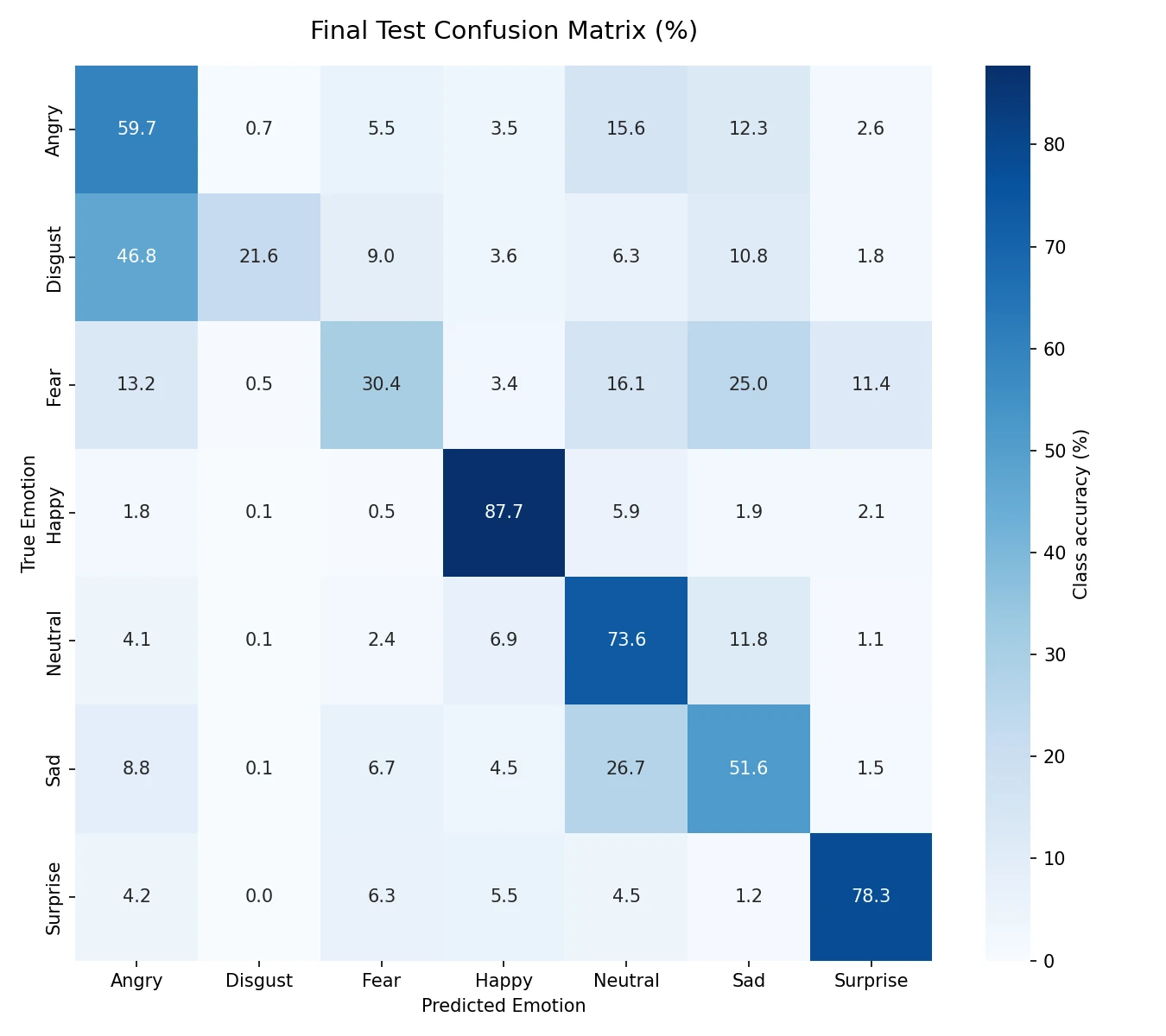
Faces at 48×48 pixels carry little detail and the classes are very uneven: the test set has 111 'disgust' images and 1,774 'happy' ones. A single accuracy number hides how the model does on the rare classes.
02 · Solution
How it works
A mid-sized CNN (Conv2D blocks with BatchNormalization, MaxPooling, Dropout and GlobalAveragePooling), a validation split taken automatically from the training data, a final evaluation only on the untouched test set, and one preprocessing path shared by training, evaluation and live prediction.
03 · Key features
What it does
- Face detection with OpenCV's Haar cascade, then crop, grayscale and resize to 48×48
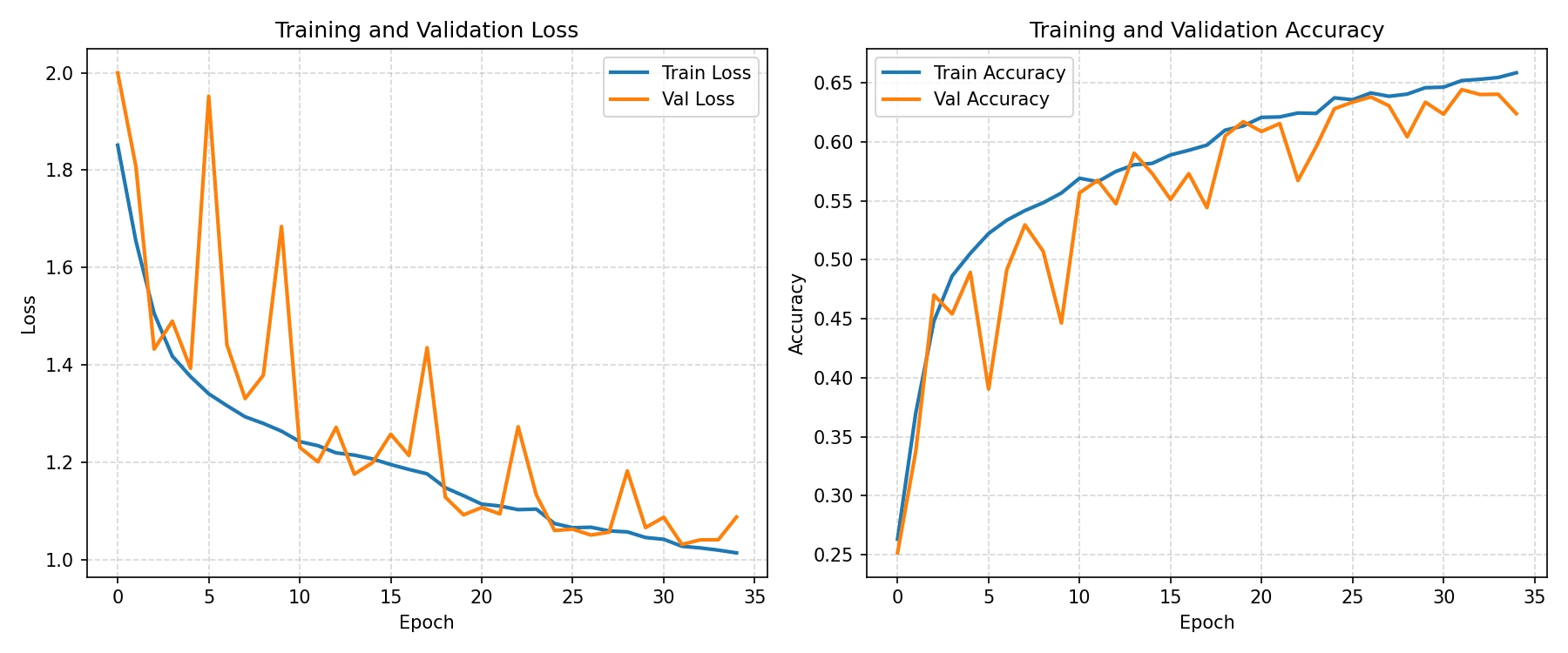
- 65.0% test accuracy over 7 classes; F1 0.87 for happy and 0.77 for surprise
- Training curves, per-class report and confusion matrix saved as artefacts
- Single-image prediction script and a FastAPI web app with live webcam input
04 · Tech stack
Built with
- Python
- Keras
- OpenCV
- FastAPI
- Status
- In progress
- Code
- github.com/KacperBlok1/face-emotion-recognition-cnn
- Demo
- Not hosted yet · run locally
05 · Challenges
What was tricky
Rare classes
Recall is 22% for 'disgust' and 30% for 'fear': with so few examples the model learns them poorly. The per-class report and confusion matrix make that visible instead of hiding it behind the overall 65%.
Same preprocessing everywhere
If the webcam app prepared faces differently from training, accuracy would drop without any error. One shared preprocessing function is used for training, evaluation and prediction.
Dependency versions
TensorFlow 2.10 needs numpy<2 and protobuf<3.20, so versions are pinned and OpenCV is installed with --no-deps to stop pip from upgrading numpy.
06 · Screenshots
How it looks
Try it
Run it locally
No hosted demo yet. The source and README are on GitHub, and these commands start it locally from the repo root.
$ pip install "opencv-python>=4.8.0,<4.10" --no-deps
$ pip install -r requirements.txt
$ python -m uvicorn app:app --port 8002 --reload